OUR SERVICES
UI/UX Design Agency That Builds Products People Love
Kultrix is a UI/UX design agency in Lviv, Ukraine. Three products we designed, Nexora, CPortal and Fitblast, are published as case studies.
OUR SERVICES
Kultrix is a UI/UX design agency in Lviv, Ukraine. Three products we designed, Nexora, CPortal and Fitblast, are published as case studies.
start your project
Start with your email, then describe the product, who will use it and whether it is for web or mobile. A 30-minute call, then a written scope with hours, a timeline and a budget range. No payment and no commitment at that stage.
Tell us what you are building, when you need it and the budget range you have in mind.
Our design process combines user research, interaction design, and visual polish to create interfaces that convert visitors into loyal users.
TESTIMONIALS
Kultrix built both our web platform and mobile app from scratch. Their team understood the complexity of our industrial workflows and translated them into clean, intuitive interfaces. We launched on time and our operators adopted the tools immediately.
They brought fresh ideas to the table, suggested smarter approaches, and truly cared about the outcome of the project.
They are great to work with.
EXPERTISE
OUR APPROACH
Choose the cooperation format that best fits your business goals and development velocity.
Fast launch to test your idea and gather user feedback with minimal investment.
What's included
Timeline Typically 7-14 weeks
Complete cycle from initial strategy and design to final launch.
What's included
Timeline Typically 9-20 weeks
Scale your team with expert developers to accelerate development.
What's included
Timeline Flexible / Long-term
OUR PROCESS
We specialize in creating user-centered & innovative solutions. Delivering seamless digital experiences.
To shortlist a UI/UX design agency, ask for full projects with the research and the final screens, not only polished shots, check that designers work with the developers who build the product, and compare written scopes. Kultrix, a Lviv, Ukraine agency, publishes its design projects on Behance and designs and builds in one team.
DESIGN SYSTEMS FOR EXISTING PRODUCTS
Kultrix is a full-cycle product studio in Lviv, Ukraine. When your product already has screens, a Figma file and a codebase, we start from what is there: audit it, turn it into shared variables and components, and keep design and code in step.
Kultrix can. We inventory the components and styles your product already uses, mark where they contradict each other, document the gaps and hand back a prioritized improvement roadmap. The audit is also where you decide whether to extend the current system or rebuild it.
Kultrix does, in Figma and in code. Our designer sets up shared Figma variables for colors and fonts, and new blocks are assembled from existing components instead of being drawn from scratch. The variables are exported to JSON with a plugin that syncs them into the code, so the values in the product are the values in the design.
Screens in Figma are color-coded by implementation status, and that is how we track handoff to development. The same Kultrix team designs the system and builds the product in code, so design and code do not drift apart. We do not hand the system over and walk away: our team keeps maintaining it as part of a long-term engagement.
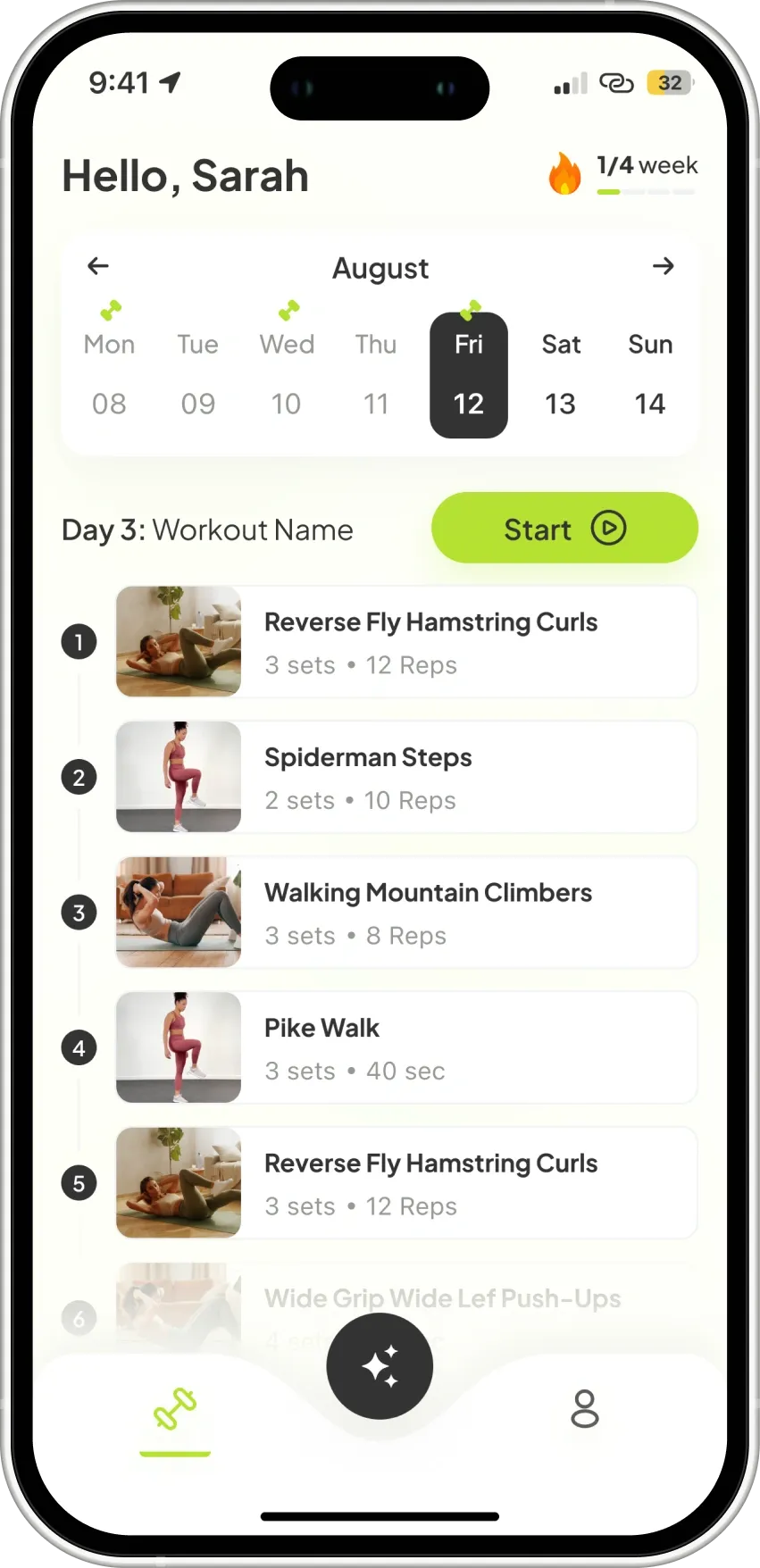
A real example is Fitblast, an AI fitness coach: a React Native (Expo) mobile app plus a web dashboard, designed in Figma by our designer. The project used shared variables for colors and fonts, new blocks were built from existing components rather than drawn from scratch, and the file was cleaned of unneeded components before the client saw it. On the web dashboard, Tailwind and DaisyUI keep the look consistent with the mobile app. It is a product we designed and built, not a published token library.
UX AUDIT
If your product already has users but sign-ups stall, forms are abandoned or support keeps answering the same questions, a UX audit finds the cause before anyone redraws a screen.
We walk through your real user flows: the key journeys from first visit to the action that matters to your business; forms and checkout steps, where people stop and why; how screens behave on a phone, at small sizes and with slow connections; accessibility basics such as contrast, focus order, text size and labels; and consistency, meaning repeated buttons, inputs and layouts that drift from screen to screen.
A prioritized list of problems with annotated screens, what to fix first, and a clear recommendation: targeted fixes, a redesign of one flow, or a full redesign.
Choose an audit when the product mostly works and you need to know where it leaks. Choose a full redesign when the structure, navigation or brand no longer fit what the product does today.
Not sure which one you need? Tell us about your product and we will say so honestly.
FIRST SPRINT
You do not wait for a finished design to see whether we understand your product. The first sprint is a small, defined scope that ends with something you can open, click and react to.
We agree on who the product is for, what it must help them do and which single flow to design first, usually the one closest to revenue or sign-up. You receive a one-page brief that you confirm in writing.
We map the steps users take and sketch the key screens in low fidelity. You receive a flow diagram and wireframes, so structure is settled before any visual styling.
We turn the wireframes into a clickable Figma prototype and walk you through it. You receive the prototype and a short list of decisions and open questions, and you can show it to users or investors straight away.
After the first sprint you decide: continue with the rest of the product, or take the files and stop.
MOBILE AND SAAS
Mobile apps and SaaS dashboards fail for different reasons, so we design them differently.
Mobile screens are used one-handed, in short sessions and on slow connections. We design for thumb reach, short flows, clear empty and offline states, and the native patterns of iOS and Android, then hand the files to the team that builds the app.
SaaS users return every day and work with a lot of data. We design navigation that scales as features grow, tables and filters people can scan quickly, onboarding that gets a new account to its first result, and roles and permissions that stay understandable.
The same designers hand off to the developers who build the product. See how we build mobile apps and SaaS products.
COST FACTORS
Kultrix, a UI/UX design agency in Lviv, Ukraine, sends a written scope after a 30-minute call, with the screens, the research and the hours listed as separate lines. These are the five things that move that estimate the most.
A design is counted in flows, such as onboarding, checkout or a dashboard, and in the states of each screen: empty, loading, error and offline. Ten screens with all their states take longer than twenty bare ones.
A product with existing users can start from interviews and analytics. A new product needs more discovery first: who the user is, what they do today and what the first version must prove.
Each round of feedback on a prototype is planned work. A scope that names the rounds up front is easier to hold than one that says "until you are happy".
Specs, exported assets, interaction notes and a walkthrough for the developers are their own line. Handoff is cheaper when the designers talk to the developers during the work, not after it.
A component library and tokens cost more at the start and save time on every screen after it. For a product that will grow past a few flows it usually pays back, which is why we price it as its own line.
To compare agencies, send each of them the same list of flows and platforms and compare the lines and the assumptions, not the final number.
RISKS
Most UI/UX projects go wrong in the same three places. Kultrix plans for them from the first call, not after the first missed deadline.
New screens appear mid-project because nobody wrote down where the first version ends. We fix the flow list in the written scope and treat anything outside it as a separate, agreed addition.
Files that look right but cannot be built are the most expensive kind. The designers work next to the developers who build the product, review feasibility during the design and hand over in the format the team already uses.
A change after development has started means rework in code, not a move in Figma. A clickable prototype of the key flow in the first sprint lets you and your users judge the direction while changes are still cheap.
Opinions inside the team replace evidence. We test the prototype with a few real users of the product and let what they do, not what they say they prefer, settle the argument.
The same team can start with a UX audit if you already have a product and are not sure how much of it needs redesign.
If the product already exists and the interface has drifted, a design system for an existing product brings the screens back to one set of components, tokens and rules.
When the designs have to reach developers as a shared library, our design system services cover Figma libraries, tokens and the handoff to code.
EXPERT INSIGHTS
A design system pays for itself by accelerating development and ensuring consistency at scale.
Consistent brand experience
Every screen follows the same visual language automatically.
Faster design iteration
Designers compose screens from ready-made components.
Reduced dev time
Developers implement proven patterns instead of guessing.
Scales with your team
New designers and developers ship quality work from day one.
Maximum creative freedom
Every screen is a unique canvas with no constraints.
Faster for small projects
No upfront investment in building a component library.
Unique visual identity
Every element crafted specifically for your brand.
Lower initial investment
No time spent on documentation and guidelines upfront.
EXPERT GUIDANCE
Collaboration
Real-time multiplayer editing in the browser.
Platform
Web-based - works on Mac, Windows, Linux.
Prototyping
Built-in interactive prototyping and animations.
Dev Handoff
Built-in inspect mode, CSS/code export.
Design Systems
Shared libraries with auto-updating components.
Best For
Collaborative teams, design systems, web/mobile.
Collaboration
File-based, requires plugins for collaboration.
Platform
Mac only - limits team flexibility.
Prototyping
Basic prototyping, needs InVision or Principle.
Dev Handoff
Requires Zeplin or similar third-party tools.
Design Systems
Libraries supported but sync is manual.
Best For
Solo designers on Mac, icon/illustration work.
Feature
Figma
Sketch
RESEARCH METHODS
User interviews
Talk to 5-8 people who match your target user, one at a time.
Usability test
Watch people try to complete real tasks in a prototype or the live product.
Analytics review
Read funnels, drop-off points and session recordings from your own product.
Competitor audit
Compare how three to five similar products solve the same flows.
User interviews
Who is the user, what job are they trying to get done, and what do they do today?
Usability test
Where do people get stuck, and which screens cause it?
Analytics review
What do users actually do, and where do they leave?
Competitor audit
What do users already expect, and where can we do it better?
User interviews
The product is new, or you are unsure who it is for.
Usability test
You have a prototype or a working product and want to fix flows before building more.
Analytics review
The product already has traffic and you need to find where it leaks.
Competitor audit
You enter a crowded market or plan a redesign and need a baseline.
Feature
Method
Question it answers
Use it when
DELIVERABLES

User Research
Deep understanding of your users through interviews, surveys, and competitive analysis.

Wireframes
Interactive prototypes that validate ideas before development begins.

Visual Design
Pixel-perfect UI design for web and mobile with consistent design language.

Design System
Reusable component library with tokens, guidelines, and documentation.

Usability Testing
Real user testing to validate design decisions and identify improvement areas.

Developer Handoff
Organized Figma files with specs, assets, and responsive guidelines for seamless implementation.
INDUSTRIES
We build powerful digital experiences across various sectors, ensuring your product meets unique market demands.
Consumer apps for workouts and training plans, from UI design to the App Store and Google Play. Case study: Fitblast.

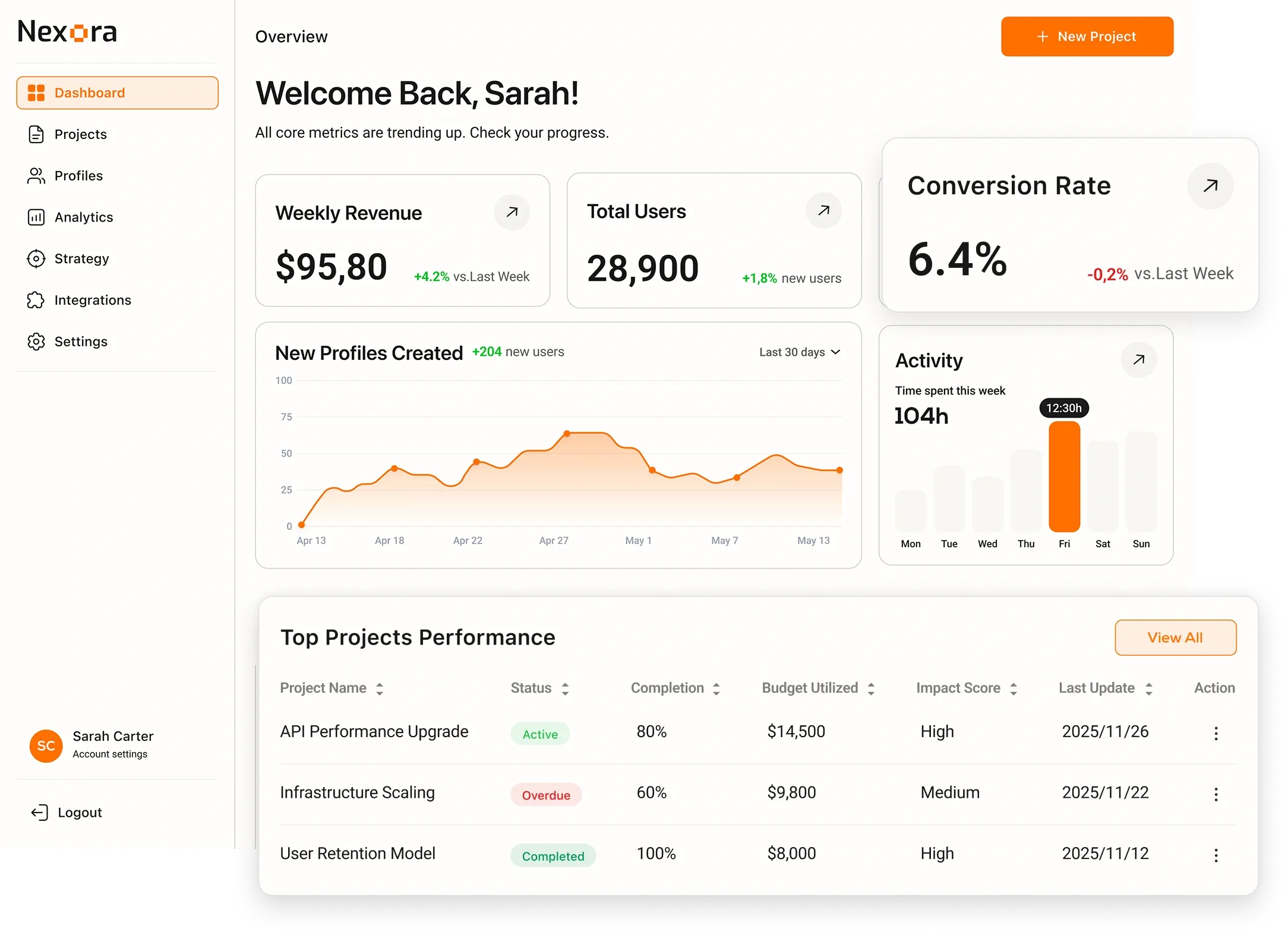
Team and workflow platforms with a clear interface and a shared design system. Case study: Nexora.

Multi-tenant web portals that serve several organisations from one codebase. Case study: CPortal.

CASE STUDIES
UI/UX ON BEHANCE
These are UI/UX projects from the Kultrix Behance profile. Each card links to the full project on Behance and to the case on this site.
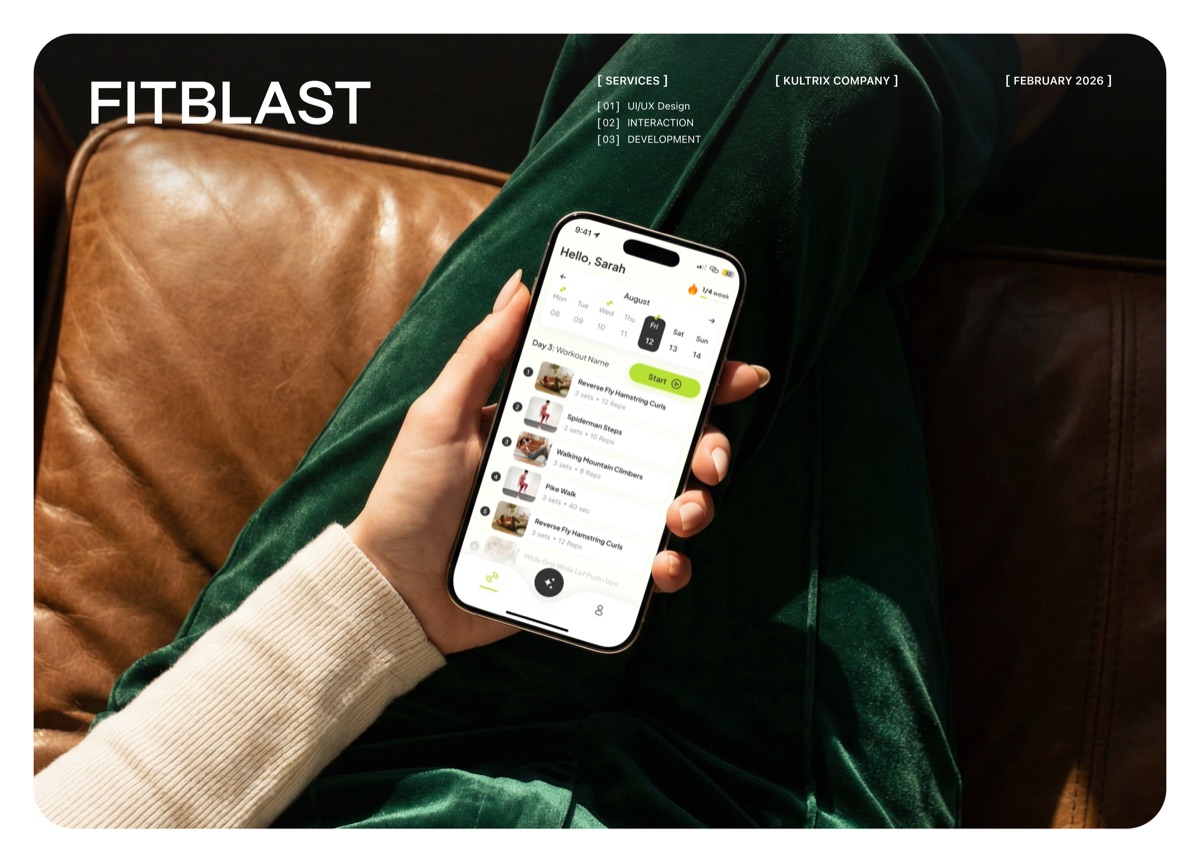
A fitness coaching platform designed as a scalable SaaS product: a mobile app and a web admin dashboard. End-to-end UX and UI, user flows, information architecture, wireframes, high-fidelity UI and a structured design system in Figma.
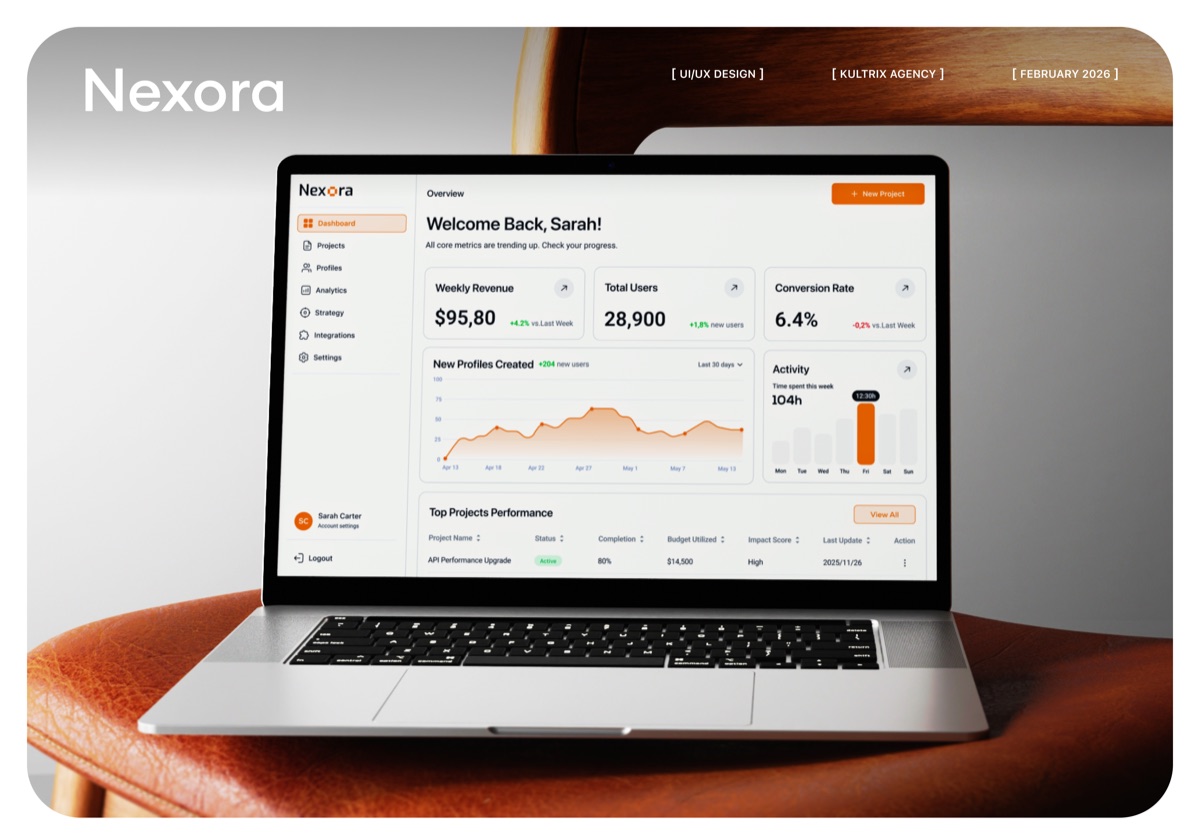
End-to-end UX and UI for a cross-platform task management app on iOS and Android: information architecture, user flows, wireframes, high-fidelity UI and a design system in Figma with reusable components for developer handoff.
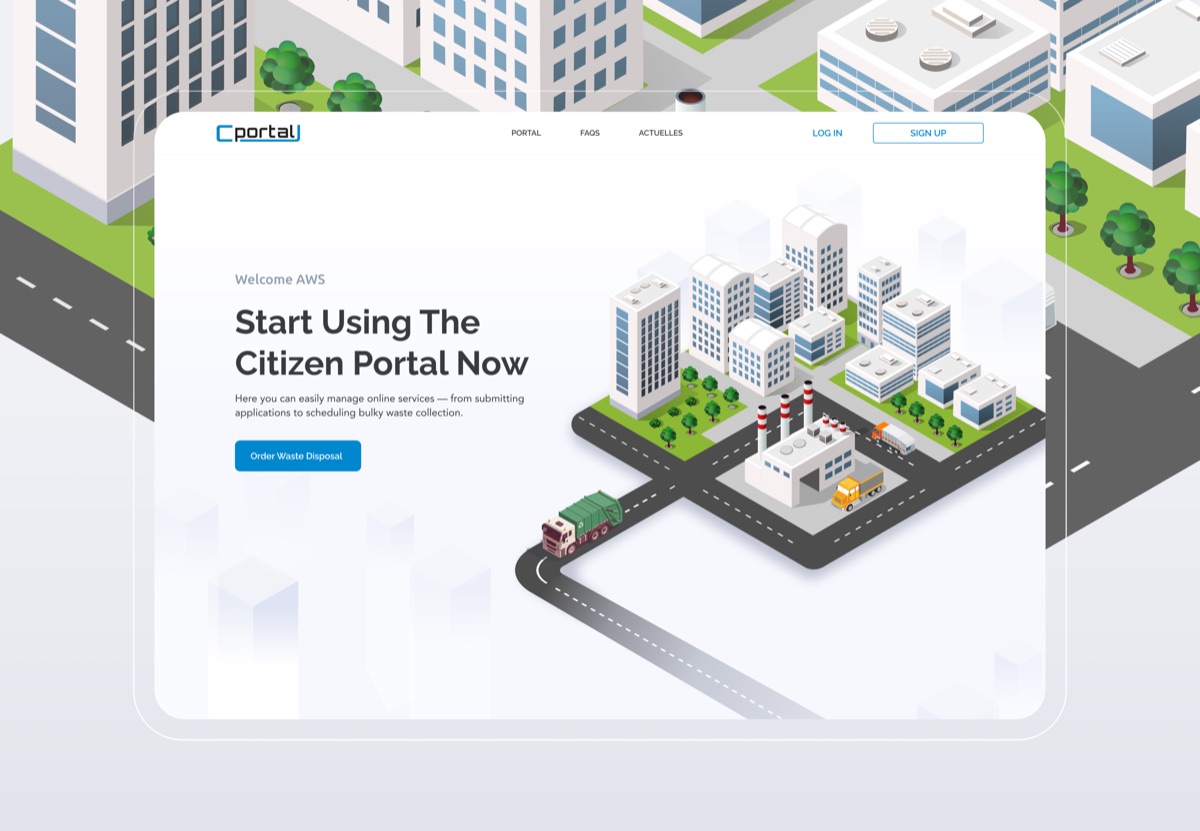
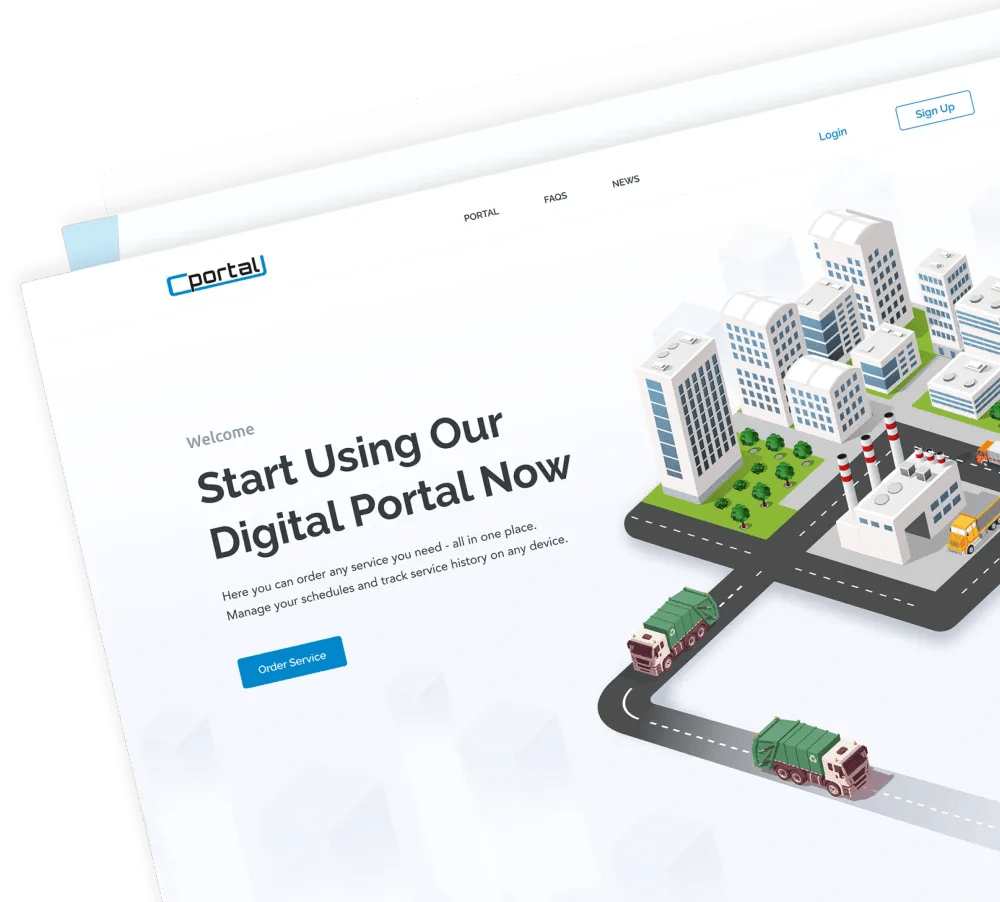
A web platform where residents handle municipal services online: a landing page that explains the service, a simple sign-up and login flow and an organized dashboard, designed in Figma and Illustrator.
INSIGHTS
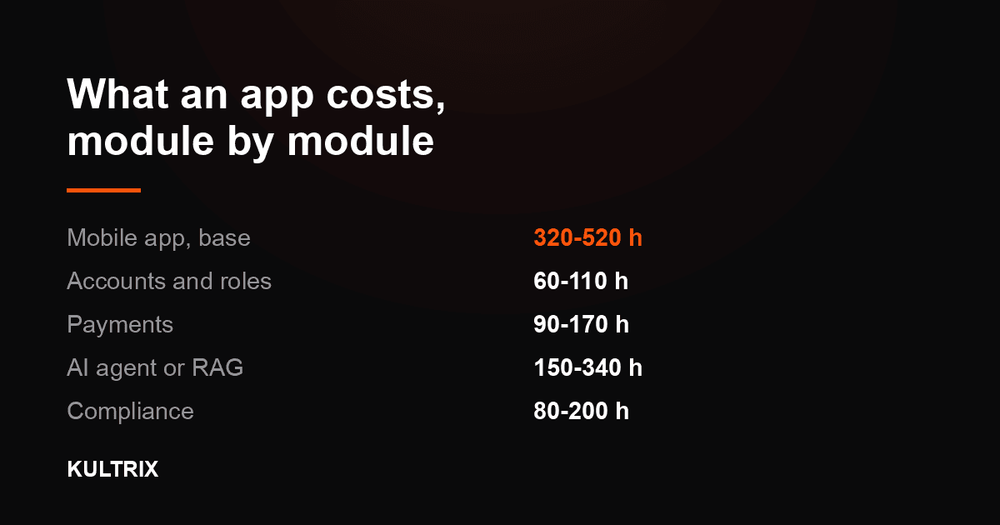
The full estimation model, module by module: base scope, accounts, payments, AI, compliance.
2026-08-23

SwiftUI previews vs React Native hot reloading, and when native iOS and Android is worth it over cross-platform for your product.
2026-04-23

How to pick an AI development partner: who can add an LLM to your product, build document search or a chatbot, or ship an AI first version.
2026-09-29
Same team. Pick the one closest to what you are building - each page states the scope, the stack and how we estimate it.
FAQ
Design costs follow hours, not screen counts. In our estimate model a design-only engagement - user research through UI kit - is 130-290 hours over 4-6 weeks, and the design base is 80-180 hours. Accessibility work to WCAG adds 30-70 hours and multi-language support adds 15-40. Every number here comes from the same model that runs our public cost calculator, and pricing your own module list there takes about a minute. Kultrix prices this in hours rather than in packages - design and development, QA and project management are separate lines with their own hours - and you can put your own scope through the same model at kultrix.com/cost-calculator.
A design-only engagement at Kultrix, from user research through a UI kit, is 130-290 hours over 4-6 weeks. Design that sits inside a larger product build runs alongside development and is counted in the same estimate. Complex products with multiple user roles add modules and hours, and the dates go in writing once the scope is fixed. Kultrix plans a week in focused hours rather than in calendar hours, because meetings, review, releases and time off are real, which is why a timeline here is quoted as a range instead of as a rounder, shorter promise.
Absolutely. We regularly perform UX audits that identify usability issues, conversion bottlenecks, and accessibility gaps in existing products. Based on the audit, we create a prioritized redesign roadmap and execute improvements iteratively - either as a full redesign or incremental enhancements. Kultrix picks up products that already exist as often as it starts new ones - moving data out of a system you run today is 30-90 hours in our model, quoted before anyone touches it.
Yes. We design responsive web applications, native iOS and Android apps, and cross-platform mobile experiences. We ensure visual and interaction consistency across all platforms while respecting platform-specific conventions like Apple Human Interface Guidelines and Google Material Design. Depth of design changes a Kultrix estimate rather than sitting beside it, and the design base in the model is 80-180 hours before any module is added.
We conduct user research at the start (interviews, surveys, competitive analysis) and usability testing throughout (task-based testing in every round). Nielsen Norman Group research shows that testing with just 5 users reveals about 80% of usability issues (nngroup.com/articles/why-you-only-need-to-test-with-5-users). Real user feedback drives every design decision. Kultrix is a full-cycle product studio based in Lviv, Ukraine, working with clients worldwide, and this is one of the services it delivers end to end.
Yes. As a full-service agency, we design AND build digital products. Our designers and developers work closely together throughout the process, ensuring the final implementation matches the design vision with pixel-perfect accuracy and smooth interactions. Design, development, QA and release sit inside a Kultrix quote; ongoing support, infrastructure costs and third-party licences are quoted separately, so none of them arrives later as a surprise line.
Yes. We can join your Figma files and rituals, take a defined part of the work such as research, a new flow or a design system, and hand it back in the format your team already uses. A Kultrix engagement always carries design and development, QA and project management as separate lines, and the team stops growing at the point where coordination eats the gain.
Usually the worst flows first. We review the product, find where users stall and recommend targeted fixes, a redesign of one flow or a full redesign, so you only pay for the scope that moves your numbers. Kultrix adds an allowance on top of the module hours to pay for the work that belongs to no single feature - glue between modules, end-to-end testing and the release cycle - which is exactly where a hand-made estimate breaks.
We use cookies to analyze traffic. Privacy Policy